


Star Walk 2 Plus: Sky Map View
4.519.92K Reviews
App Specs
- Version
- 2.21.0
- Updated On
- License
- Free
- Downloads
- 10,000,000+
- Developer
- Vito Technology
- Categories
- Education
- Platform
- Android, iOS
Screenshots

 Analysis by AppCompare
I find the most common stumbling block with a sky map is not knowing whether the phone is lined up correctly, rather than not knowing what a star is. You raise the screen, see labels that do not seem to match the sky, and start doubting the app. With Star Walk 2 Plus: Sky Map View, I’d treat the display as a guide to orient yourself, not as a replacement for looking up and checking your surroundings. That small change in expectation makes the first outing much less frustrating.
Start with a calm setup, not a rushed first look
Before heading outdoors, I’d open the app somewhere comfortable and get familiar with moving around its sky view. Swipe to explore, zoom in and out, and tap a few objects to see how the information is presented. That gives you a simple baseline: if the map responds normally indoors, you’ll have a better idea whether a later mismatch is about alignment or simply a confusing patch of sky.
Location matters to a sky map because the view is meant to reflect what is above you. Star Walk 2 Plus uses your device’s GPS to identify your location, so I would check that location access is available to the app and that the phone has had a chance to settle on where you are. If the displayed sky seems out of place after travelling, reopening the view once you have reached your destination is a sensible first step.
There is also a difference between a map that is hard to read and one that is inaccurate. Screen brightness, reflections, and trying to use the phone while walking can all make labels difficult to follow. I prefer to stop in a safe spot, lower the brightness enough to be comfortable, and compare one clearly marked constellation or bright object at a time. That is more useful than sweeping the phone rapidly across the horizon and expecting every label to line up instantly.
When the view seems out of sync
If the sky overlay does not appear to track the direction of the phone, I would first close and reopen the sky view, then move slowly and see whether the map responds more consistently. Holding the device steadily and making small turns is easier to interpret than rotating it quickly. A phone case, a crowded setting, or simply an awkward viewing angle can make a first attempt feel less precise; trying again in an open area gives you a cleaner test without assuming the app itself is broken.
Time travel is useful for understanding why the sky changes, but it can also confuse a quick identification session if you have moved away from the current view. Before using the map to identify something overhead, return to the present sky and check the date and time context on screen. I’d use the time controls deliberately: first explore a future or past sky to learn, then restore the current view before relying on the map outside.
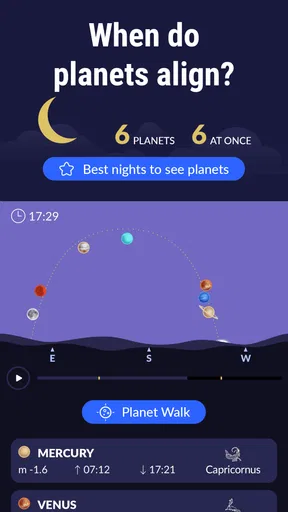
Not every bright point is an easy match. A planet can be prominent while familiar constellations sit outside your immediate view, and a satellite or other object may be visible only briefly. Instead of assuming that a label should sit directly over what you see, I’d use the map to narrow down the direction and then look for nearby patterns. The app is most helpful when it turns an empty-looking patch into a question you can investigate, rather than when you expect it to identify everything at a glance.
Worth Reading Before You Choose

EA SPORTS FC Mobile 26 Is a Bigger Football Game, but It Takes Time

Flipboard Shows What News Apps Must Do Beyond the Feed

Switching to Android Auto Means Rethinking Your Driving Routine

Google Calendar Makes a Crowded Week Easier to Manage

Ludo King Makes the Most of the Minutes Between Plans

Baby Panda World Brings Quick Play to Modern Phones, but Its Game Library Feels Busy
First Impressions: A Celestial Journey Begins
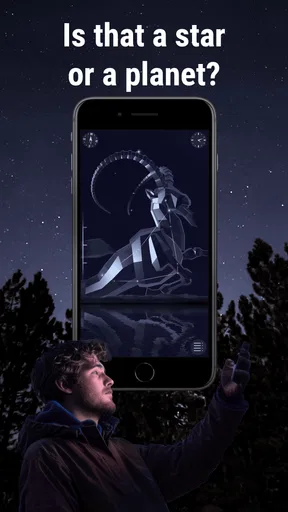
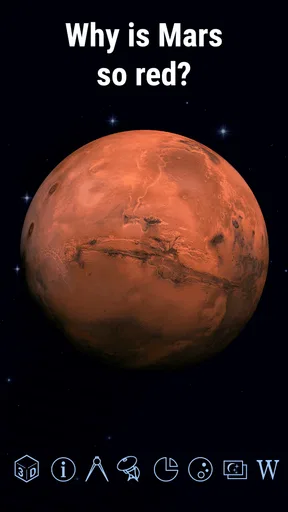
The first thing that struck me about Star Walk 2 Plus was its sleek design and user-friendly interface. From the moment you open the app, you’re greeted with a stunning view of the night sky. It’s almost like having a personal planetarium in your pocket. The app uses your device's GPS to pinpoint your location and display the night sky exactly as it appears above you. Pretty nifty, right?
As a bit of a space nerd myself, I immediately fell in love with the beautiful graphics and the smooth navigation. It’s like having a star map that’s not only functional but also a feast for the eyes. You can swipe around, zoom in, and explore different constellations and celestial bodies with ease. Talk about a cosmic experience!
Features: Beyond the Stars
Now, let’s talk features. One of the standout elements of Star Walk 2 Plus is its augmented reality mode. This feature lets you point your phone towards the sky and see an overlay of constellations and planets. It’s like having an astronomer whispering in your ear, guiding you through the cosmos.
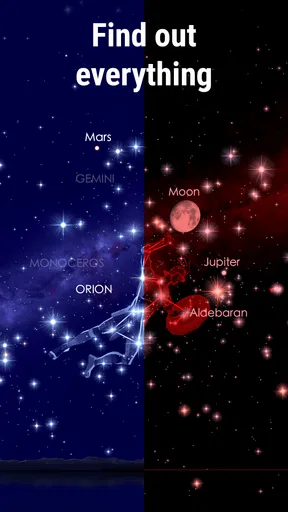
The app also provides detailed information about stars, planets, satellites, and even comets. You can tap on any celestial object to learn more about it. The depth of information available is impressive, making it a fantastic educational tool for both budding astronomers and seasoned stargazers.
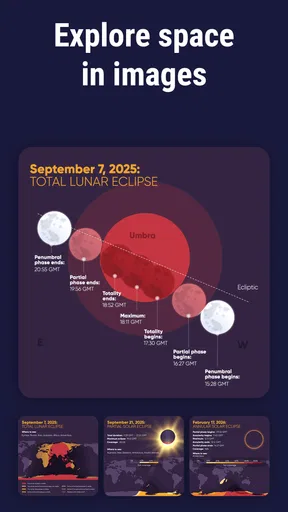
Another cool feature is the ability to travel through time. With a simple swipe, you can fast forward or rewind the sky to see how it changes over time. This is particularly awesome if you’re planning to catch a specific celestial event, like a meteor shower or a lunar eclipse.
User Experience: A Sky Full of Stars
Using Star Walk 2 Plus is a breeze. The app is intuitive and doesn’t overwhelm you with too many buttons or options. Everything feels just right. The night mode is particularly useful, as it dims the screen to preserve your night vision while you’re outside gazing at the stars.
One thing I really appreciated was the option to customize the app’s settings. Whether you’re a casual stargazer or a hardcore astronomy buff, you can tailor the app to suit your needs. It’s this kind of flexibility that makes the app appealing to a wide audience.
Educational Value: More Than Just a Pretty Face
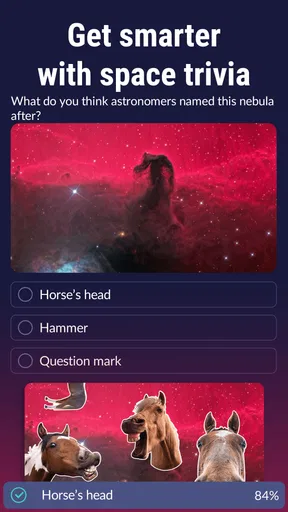
While the app is undeniably beautiful, it also packs a punch in terms of educational content. The detailed descriptions and historical context of celestial bodies transform a simple sky map into a learning experience. It’s like having a pocket-sized astronomy textbook with interactive elements.
For parents looking to inspire their kids or teachers searching for engaging educational tools, Star Walk 2 Plus offers a fantastic way to explore science and spark curiosity about the universe. It’s an educational gem wrapped in a visually stunning package.
Choosing the right way to explore
Compared with a printed star chart, this app is easier when you want an immediate, location-aware orientation: you can move the phone and inspect an object without first translating a page to the direction you face. A paper chart still has an advantage for a long, screen-free session, and it never asks you to manage display brightness while preserving your night vision. I see the app and a chart as different tools, not rivals; one helps identify what you are seeing, while the other can encourage you to learn the sky’s broad patterns without constantly checking a device.
It also suits a different purpose from a telescope-control or observing-log tool. Star Walk 2 Plus is strongest as an accessible sky map and learning companion, especially when curiosity comes before equipment. If you are planning a highly technical observing session, keeping detailed records, or choosing targets for specialized gear, a tool built specifically around those tasks may fit better. I would not choose this app expecting it to replace an astronomy reference library or an experienced observer’s planning routine.
A useful way to avoid turning an outing into a screen session is to identify one target, read about it, then put the phone down and look for it unaided. After a minute, bring the map back to check your direction. That simple back-and-forth makes the app a teaching aid rather than the whole activity, and it helps children connect the labels with the actual sky instead of memorizing where they appear on a display.
A small routine for a better sky-watching evening
For a realistic first outing, I’d choose a clear, familiar place and give myself one modest goal: find a constellation, then tap one object within it. I would explore the app at home first, step outside, let the location settle, and use the map to orient myself. If the overlay feels confusing, I’d switch to the regular map view, zoom out, and use a broad pattern rather than chasing a tiny label. Once I had a likely match, I’d read the description and return to the sky without looking at the screen.
This routine also helps when you are sharing the experience. One person can hold the phone and point out a pattern while everyone else looks up, rather than passing the device around every few seconds. For a parent or teacher, asking a child to guess which bright point might be a planet before tapping it turns the app’s object details into a prompt for observation. It keeps the learning active and makes the information more memorable than simply reading one description after another.
For a casual evening, I would not try to identify every visible point. The map is more rewarding when you build familiarity gradually: revisit the same constellation on another night, or compare how the sky changes after adjusting the time. That gives the time controls a practical purpose beyond novelty and makes it easier to notice that the sky is a moving view rather than a fixed picture.
Who will enjoy it, and who may prefer something else
I’d recommend this to curious beginners, families, and anyone who likes the idea of learning a little astronomy while standing outdoors. It is also a good fit for someone who often wonders what a bright object is and wants a visual starting point rather than a dense technical guide. Vito Technology has made an education app that feels approachable, and the combination of a map, object descriptions, and time-shifted views gives different kinds of learners a way in.
On the other hand, it may not be the right choice if you want a purely scientific instrument, need a highly structured observing plan, or dislike using a bright phone outdoors. The visuals are part of the appeal, but looking at a screen can interrupt dark adaptation; night mode helps, yet it does not make the phone disappear. Someone who already knows the constellations and mainly wants a minimal reference may find a simpler chart quicker.
It is free to start, with in-app purchases ranging from $0.99 to $9.99 per item, so I’d explore the basic experience before deciding whether any paid option is worthwhile for my own habits. The app is rated for Everyone, and its broad educational approach makes it suitable to share, though younger children will still get more from it with an adult helping them connect the screen to what is overhead.
What to expect from the app over time
Star Walk 2 Plus is a mature app from Vito Technology, released on April 28, 2015, and its current version is 2.19.2. It has an average rating of 4.6 from around 556,000 ratings, with about 20,000 written reviews and over 10 million installs. Those figures suggest that it has reached a large audience, but they do not change the practical point: your enjoyment depends on whether you want an inviting visual guide or a more specialized astronomy tool.
The minimum operating system requirement is 7.0, which is useful to check before installing on an older device. As with any app that relies on a phone screen and location-aware sky display, I would test the basic view at home before planning a special outing around it. That way, you can learn the controls without pressure and arrive outdoors ready to look at the sky rather than troubleshoot the interface.
Final Thoughts: Reaching for the Stars
In conclusion, Star Walk 2 Plus: Sky Map View is a must-have app for anyone interested in astronomy or who simply enjoys gazing at the night sky. Its combination of stunning visuals, rich educational content, and user-friendly design makes it a standout choice in the realm of stargazing apps.
Whether you’re a seasoned astronomer or just someone who loves to dream about the stars, this app will surely enhance your celestial adventures. So, grab your device, head outside, and let Star Walk 2 Plus guide you through the wonders of the universe. Happy stargazing!
Pros
- Intuitive interface for easy navigation.
- Highly detailed star and constellation info.
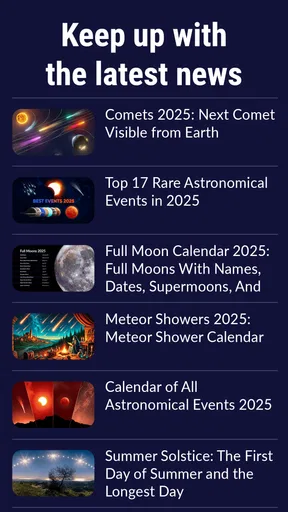
- Real-time updates on celestial events.
- Augmented reality feature enhances experience.
- Offline mode available for remote areas.
Cons
- Requires subscription for full features.
- High battery usage during extended sessions.
- Limited educational content for beginners.
- Occasional lag in augmented reality mode.
- In-app purchases can add up quickly.
FAQs for Star Walk 2 Plus: Sky Map View
What is Star Walk 2 Plus: Sky Map View and how does it work?
Star Walk 2 Plus: Sky Map View is an interactive astronomy guide that provides a real-time map of the night sky. By using GPS, it aligns with your location to show stars, planets, constellations, and satellites visible from your area. Simply point your device towards the sky to explore celestial objects in detail.
Is Star Walk 2 Plus suitable for beginners in astronomy?
Yes, Star Walk 2 Plus is ideal for beginners. Its user-friendly interface, detailed descriptions, and interactive maps help newcomers understand the night sky. The app provides educational content and visual guides that make learning about stars and constellations accessible for all ages.
Does Star Walk 2 Plus require an internet connection to function?
No, Star Walk 2 Plus does not require a constant internet connection to operate. The app uses GPS to determine your location but can function offline once the data is downloaded. However, an internet connection is needed for initial setup and updates to the content.
What devices and operating systems support Star Walk 2 Plus?
Star Walk 2 Plus is available for both Android and iOS devices. It supports a wide range of smartphones and tablets running on recent versions of these operating systems. Ensure your device meets the app’s system requirements for optimal performance and experience.
Are there any in-app purchases or subscriptions in Star Walk 2 Plus?
While Star Walk 2 Plus offers a comprehensive free version, it also includes in-app purchases. These purchases unlock additional features such as specialized content, enhanced visual effects, and ad removal. It is a one-time purchase model rather than a subscription-based service.


